

0851 - Surface Pattern Design: Introduction
Course Description
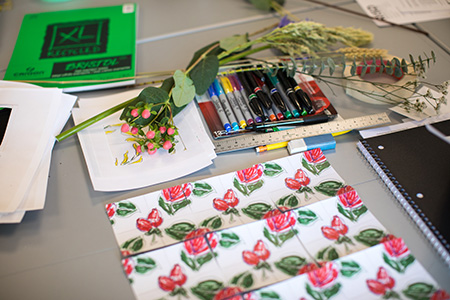
Surface design is artwork that is intended to be applied to the surface of a product, enhancing its appearance. Textiles, wallpaper, housewares, paper goods and apparel are a handful of the items we see on a daily basis that are adorned with surface design. Inherent to this design process is putting patterns into repeat and understanding common commercial printing methods that affect the design process. In this course, students start from their own original artwork created by hand or digitally. They will learn which program to choose for their work style, and use digital tools to make the surface design process easier. These digital tools allow greater freedom to develop repeats, change colors and play with scale. Lessons focus on how-to and workflow methods between analog and digital design, as students create patterns, craft colorways and make design decisions based on their own personal aesthetic. Visualizing these designs on any three-dimensional object, be it ceramics, furniture, apparel or an entire room interior, is the exciting final step. Students share their prints and digital rendering with the class for a final critique.
This course is the perfect companion to Surface Pattern Design: from Concept to Market.
Prior experience with Photoshop and Illustrator is preferred but not required.
Prerequisites
Students must be an adult age 18 or older to participate.
Applies Towards the Following Certificates
- Animation : Electives
- Graphic Design : Electives
- Interactive Design : Electives
- Natural Science Illustration : Electives
- Painting Studies : Electives
- Photography : Electives